upload-dir
Uploads an entire directory of files.
Required Parameters
-h: The you'll node upload to-t: The token to use when uploading.-w: Your private key.
Example
irys upload-dir ./myImages -h https://node1.irys.xyz -t matic -w bf20......c9885307Downloading
Files uploaded via irys upload-dir can be retrieved in one of two ways.
- Creating an URL with the format
https://arweave.net/[manifest-id]/[original-file-name]. - Creating an URL using the transaction ID of each individual file uploaded with the format
https://arweave.net/[transacton-id]
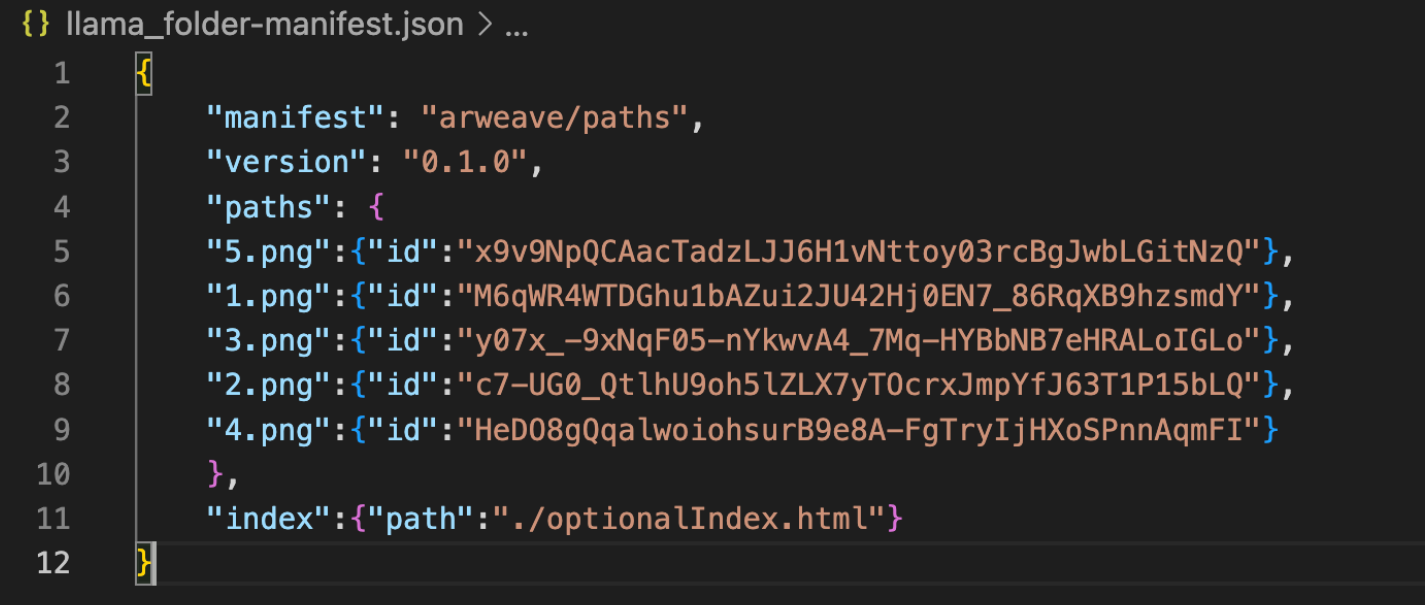
After a successful folder upload, two files are written to your local project directory:
-[folder_name].csv
[folder_name].json
The example below highlights a folder called “llama_folder” with a total of 5 files in it. The transaction id for each file can be used to retrieve the uploaded data by forming an URL with the format https://arweave.net]/[transaction-id]